A November habit for messages that create urgency
Before year-end plans fill your attention, decide how you will handle unexpected links. This article is a practical seasonal check, not a report of a new PrivateLola fraud campaign. We have not measured an increase in suspicious room messages or verified a specific offer. The useful question is what to do when a plausible-looking message asks you to act before you have checked its destination.
Imagine a hypothetical message saying a favourite room is available only if you verify your account immediately. The wording alone cannot establish who sent it or where its link leads. A familiar name, picture or conversation reference can create recognition without answering either question. Treat the requested action as something to verify separately, even if the message arrives in a conversation you normally trust.
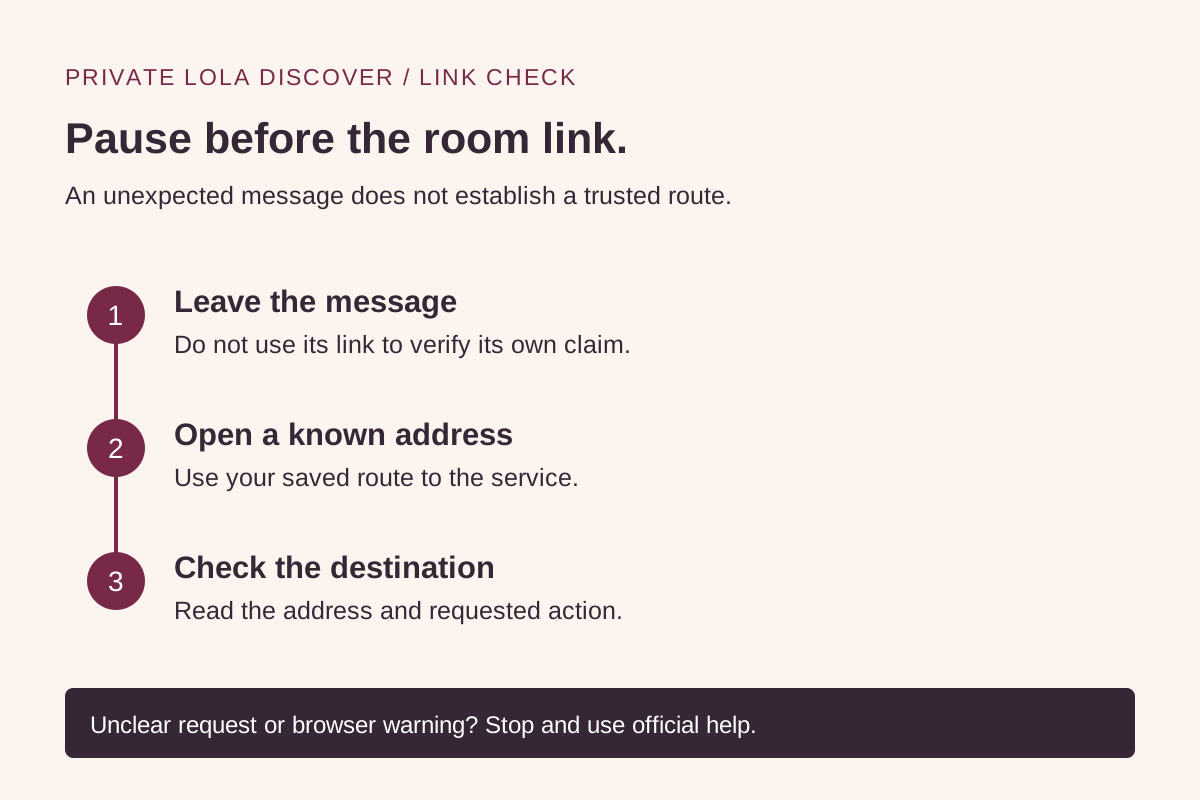
1. Leave the message and use a known route
The FTC explains that phishing messages can use account problems, payment requests or offers to draw people toward links and attachments. Its practical advice when a message might concern a real account is to contact the company through a website or number you know is genuine, rather than through the message’s contact information. This is general consumer guidance, not a finding about any particular room service.
For a room-related message, use a saved bookmark or type a known service address yourself. If you want to browse this directory, its canonical host is discover.privatelola.com. The directory is separate from the room service. You do not need to supply a provider password, payment details or a verification code to read these editorial pages.
Avoid using an unfamiliar link merely to find out whether the message was real. A page that copies a familiar design can still leave the sender’s identity unresolved. If you cannot establish a known route, postpone the action and use the provider’s independently located help information. You can decide not to follow a message without first proving that it is fraudulent.
2. Keep the directory and room service separate
A directory listing helps you browse provider-supplied information. Following a marked room link takes you into the destination service’s context, where its account, access and purchase conditions apply. Read the destination address before entering information. A familiar name on the page is not a substitute for knowing which service is asking for it.
Our room links may be affiliate links, and we may earn a commission from qualifying activity. That commercial relationship does not authenticate a message someone sends you, guarantee a room’s availability or establish the terms of a claimed offer. A live status in the directory also does not reserve a room while you investigate a message.
If you arrive at an unexpected sign-in or payment request, pause and compare it with the provider’s own explanation reached through your known route. Do not send the directory a password, payment card, identity document or private conversation to ask whether the request is normal. Describe the public label or action you cannot understand instead.
3. Let browser warnings stop the journey
Google documents Chrome warnings for sites associated with phishing, malware and other unsafe behavior. It also describes warnings for addresses that resemble a site you may have intended to visit. If a warning appears during your check, leave the page and return through a known route; do not disable protection to reach a room or collect an offer.
The absence of a warning does not establish that a message is genuine. Keep the sender check, destination check and requested-action check separate. Likewise, a secure connection does not answer whether the business or the request is one you intended to use. A technical signal can help with one question without resolving the others.
On a phone, expand the address view if the browser shortens it. If the full destination remains unclear, a larger screen or a later visit is a reasonable next step. Avoid downloading a viewer, browser extension or security tool because a room message insists it is required. Verify any software requirement through the service’s own official instructions first.
4. Use a three-question pause before acting
Ask: Did I reach this service independently? Is the address the one I intended? Does its own information explain the requested action? These are decision prompts, not a guarantee of safety. If one answer is unclear, the useful outcome is to stop that action and clarify it through the known service.
Keep a minimal note if you need to ask for help: the date, the claimed service and a description of the request. Do not forward a live sign-in link or a code that might grant account access. If you already shared information, follow the relevant provider’s account-recovery instructions through its official site; the FTC source below also explains next steps for suspected phishing.
You can return to ordinary browsing without accepting the message’s deadline. Read current room status, credit units and conditions at the destination before making any commitment. This guide does not verify offers, perform account recovery or promise that a particular room will be available when you return.