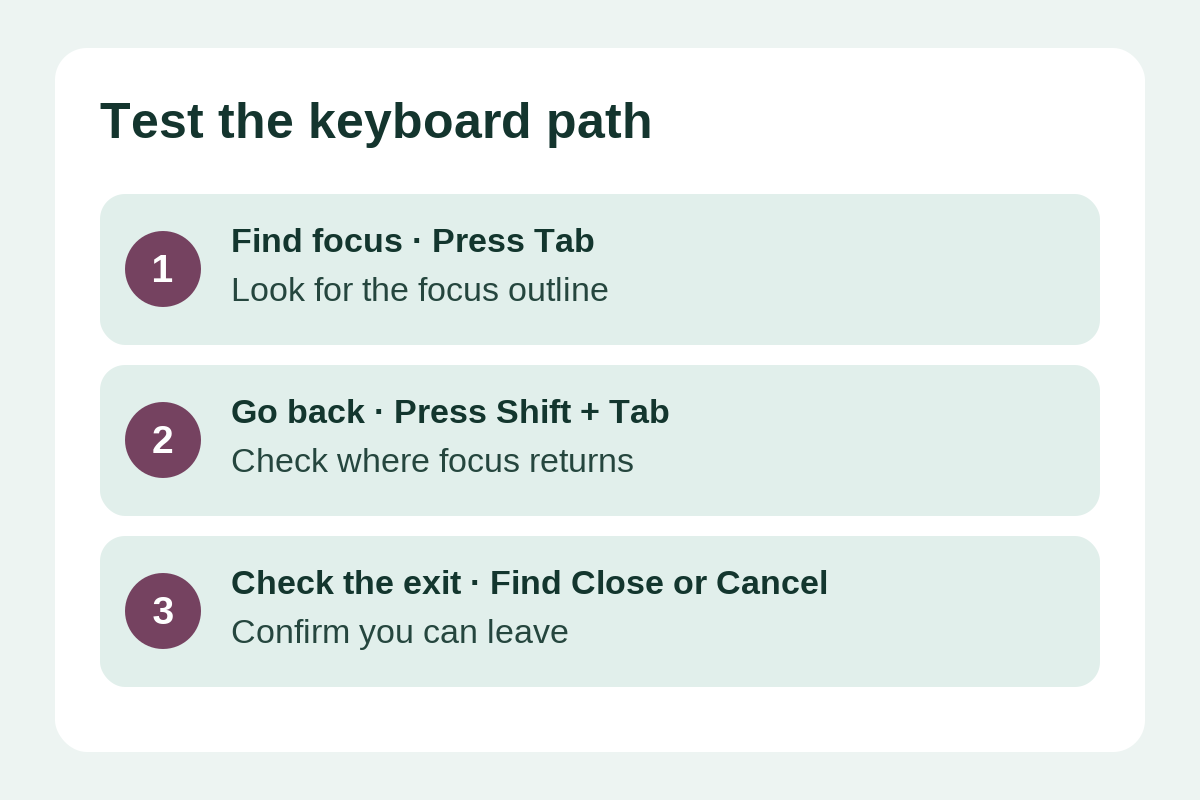
Follow one control at a time
On a device you do not usually use, test with a familiar public page first. Press Tab and find the outline or highlight that marks the active control. Press again and see where it moves. W3C’s accessibility checks describe visible focus and a logical order as useful observations. They are also quick checks for a visitor who alternates between a trackpad and a keyboard.
Distinguish the browser toolbar from the web page. The toolbar can be part of the navigation sequence, and a browser or operating-system preference can affect which page elements receive focus. Check the keyboard behavior on a familiar page before concluding that a directory is the cause.
Try both directions before opening anything
Give yourself one small goal: reach a guide from the directory, then move back to the link that preceded it. Tab generally moves to the next focusable control and Shift+Tab goes back. Activate a clearly identified ordinary link with Enter when you are ready. If the highlight disappears, use the previous focus point as a reference and try again once.
A short check on the directory does not establish the behavior of the provider’s room. If you choose to open the destination under its normal access conditions, start with controls you can inspect without paying, joining a session or granting device access.
Check dialogs without committing
A dialog may keep focus inside while it is open. W3C explains that a keyboard user needs a way to leave it, such as an available Cancel or Close control or a documented key. Try Escape when appropriate, but check the visible instructions and the options on the page. Verify where focus returns after the dialog closes.
Check the exit before you activate a button whose purpose is unclear. A price dialog and a confirmation dialog can use different controls. If you can reach the continuation control but cannot find a usable way out, stop the test. Do not treat closing a browser tab as confirmation that a paid session has ended.
Keep a short description of the failure
A good report includes the page address, browser and device, the last control you could identify, the key pressed and what happened. “After Tab from the language menu, the outline disappears and Shift+Tab returns to the menu” gives a reproducible starting point. There is no need to share your account, room activity or payment details.
Use this as a current practical check when switching devices during late-November travel. It covers a single route through a page. A smooth route is useful for that visit. It does not establish accessibility across the site.